VulcanoClient [VulcanoTechCraft compatible edition]
Select your version below to see the appropriate installation instructions.
Premium Installation Guide
Step 1: Downloading required files
First you need to download the modpack from this link:
Download ModpackAfter that you need to make sure if you installed the CurseForge launcher. If you haven't already, download it from this website:
Download CurseForge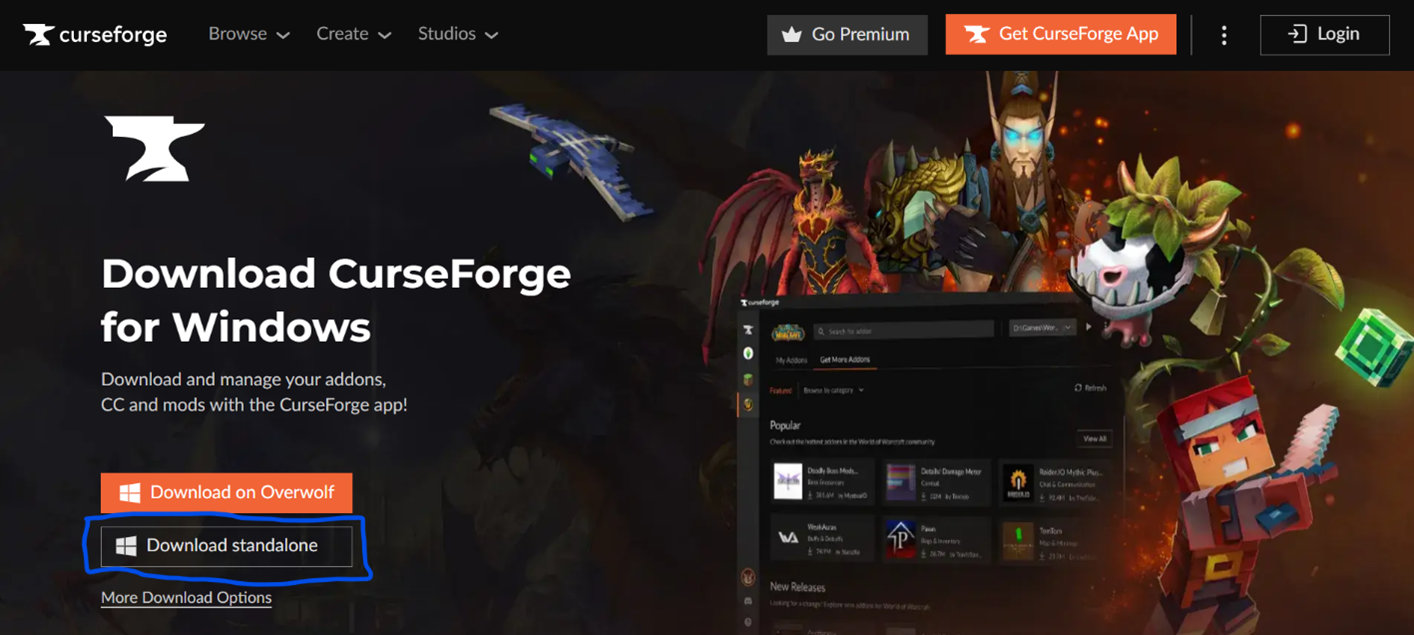
When you are on the website, click the download standalone button
Step 2: Installing the files
When the file is downloaded, open it:
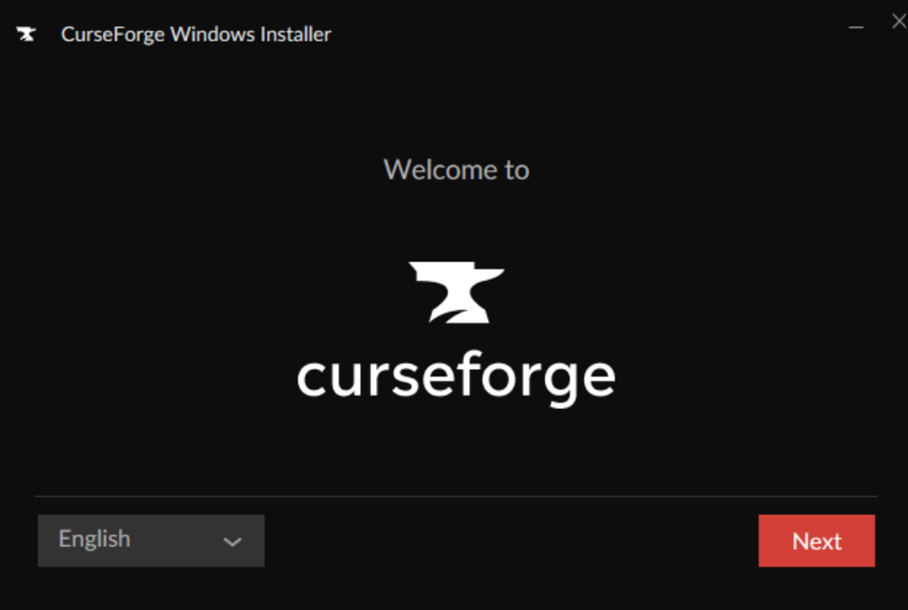
Click next
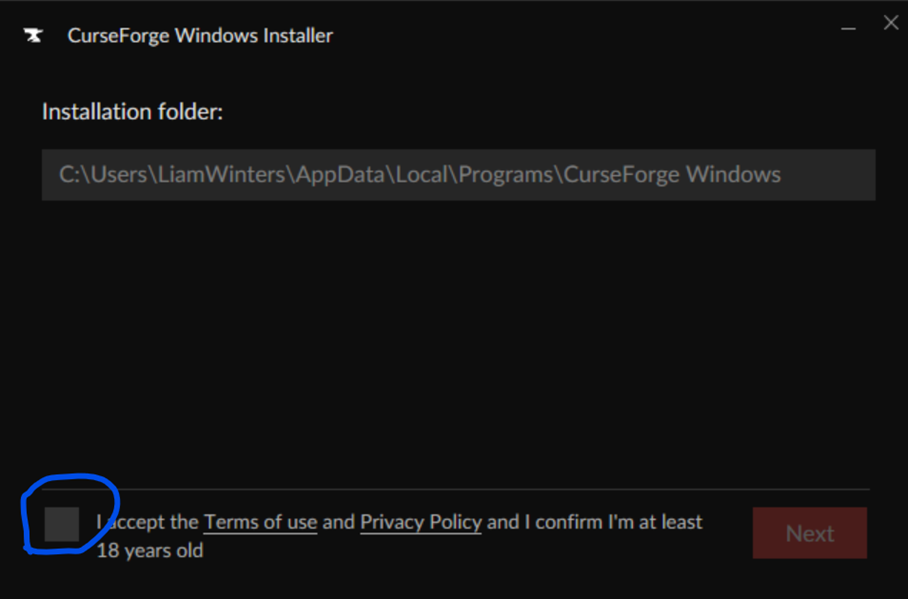
Tick the box and click next
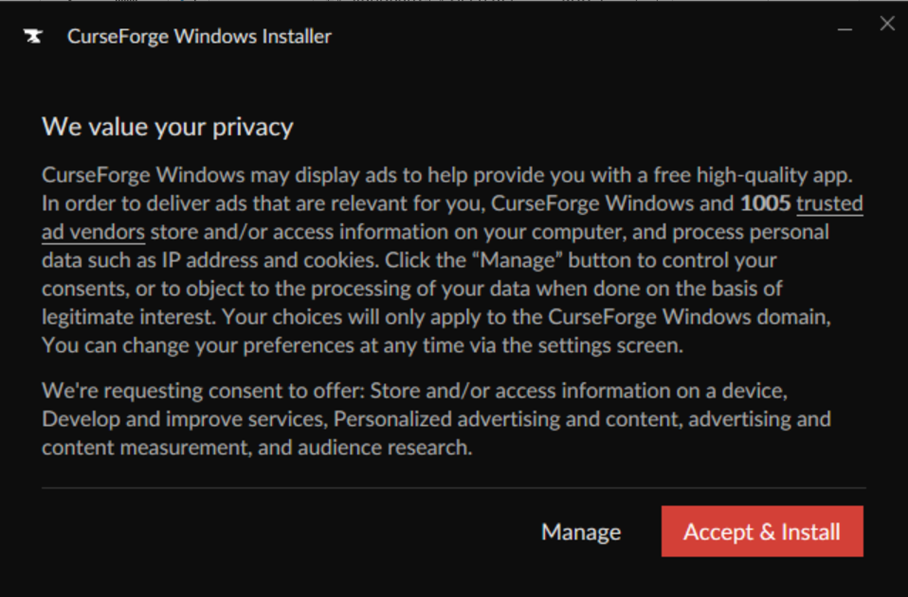
Click accept & install
Step 3: Setting it up
Once here, click on import:
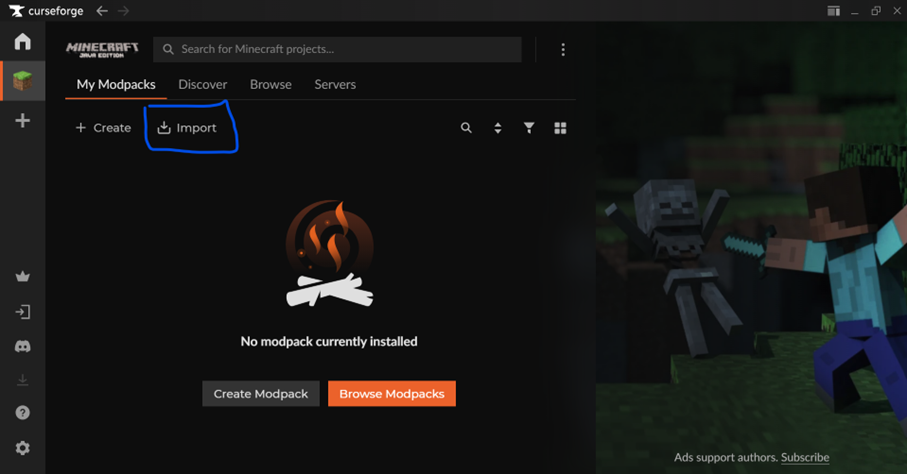
Click on import
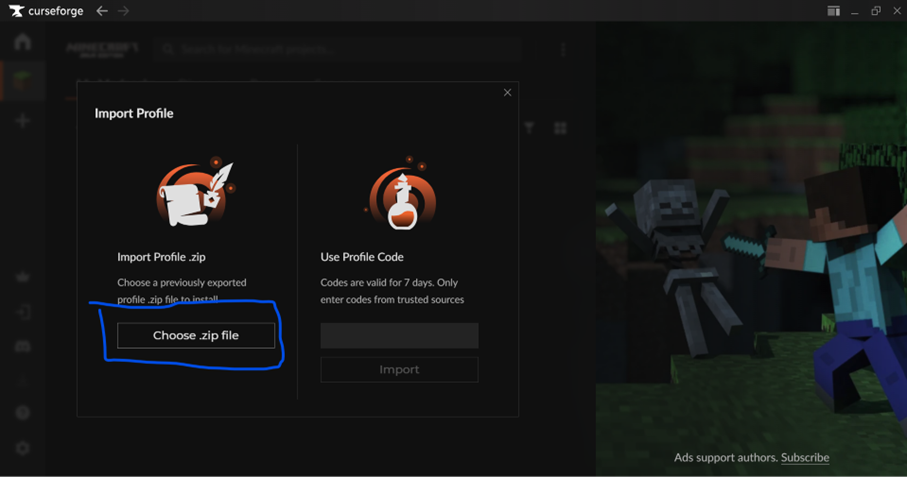
Click choose zip file
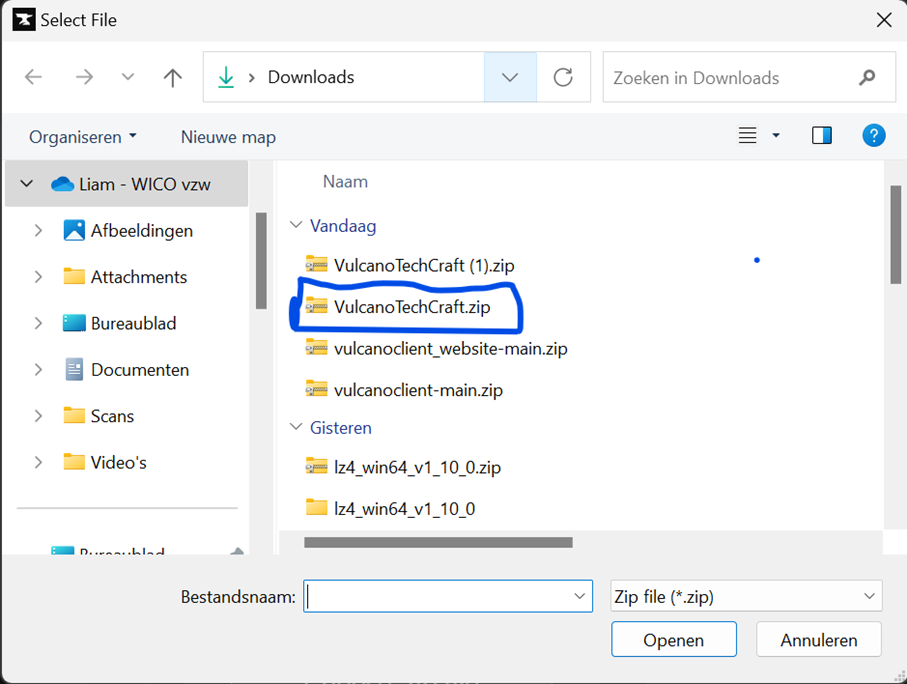
Double click on VulcanoTechCraft.zip
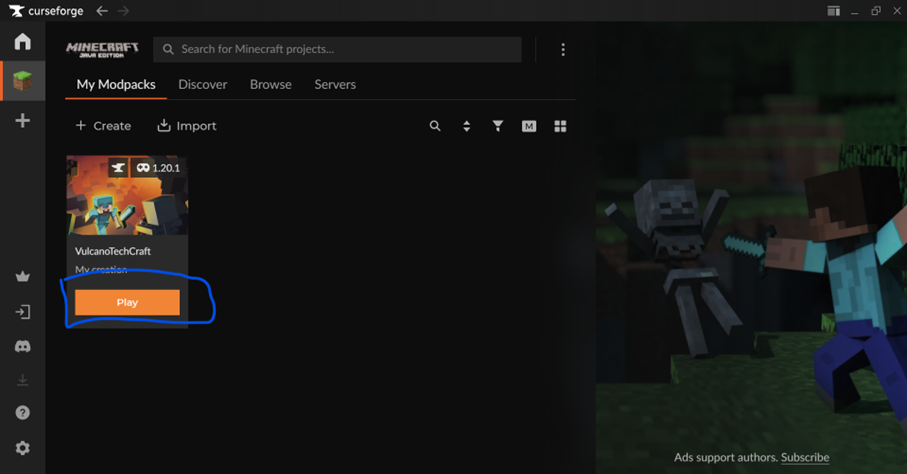
Click on the play button
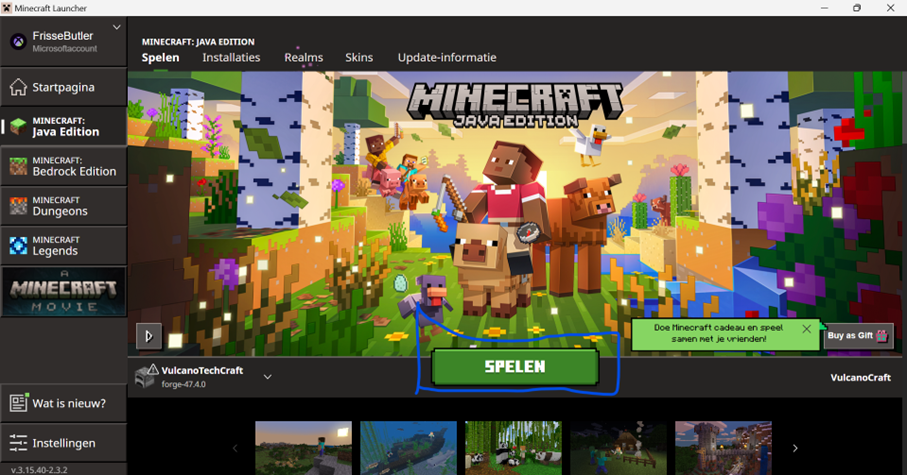
Click play
Have fun!
Cracked Installation Guide
Step 1: Downloading required files
First you need to download the modpack from this link:
Download ModpackAfter that you need to make sure if you installed the Prism launcher. If you haven't already, download it from this website:
Download Prism Launcher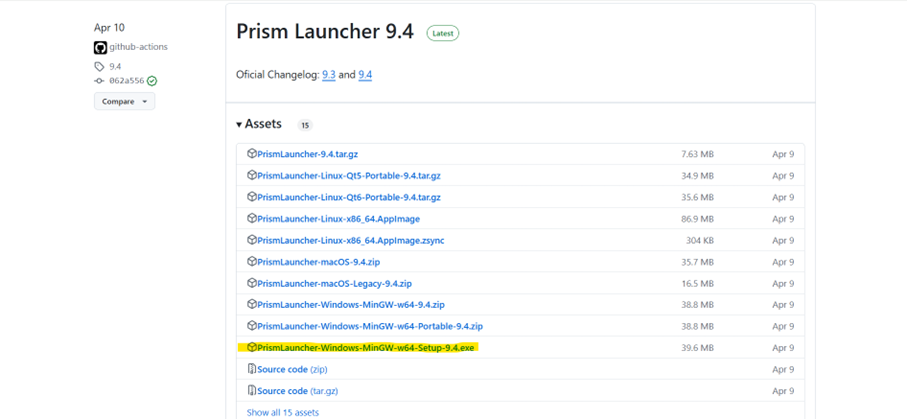
Click the button that says something like "PrismLauncher-Windows-MinGW-w64-Setup-9.4.exe"
Step 2: Installing the files
When the file is downloaded, open it:
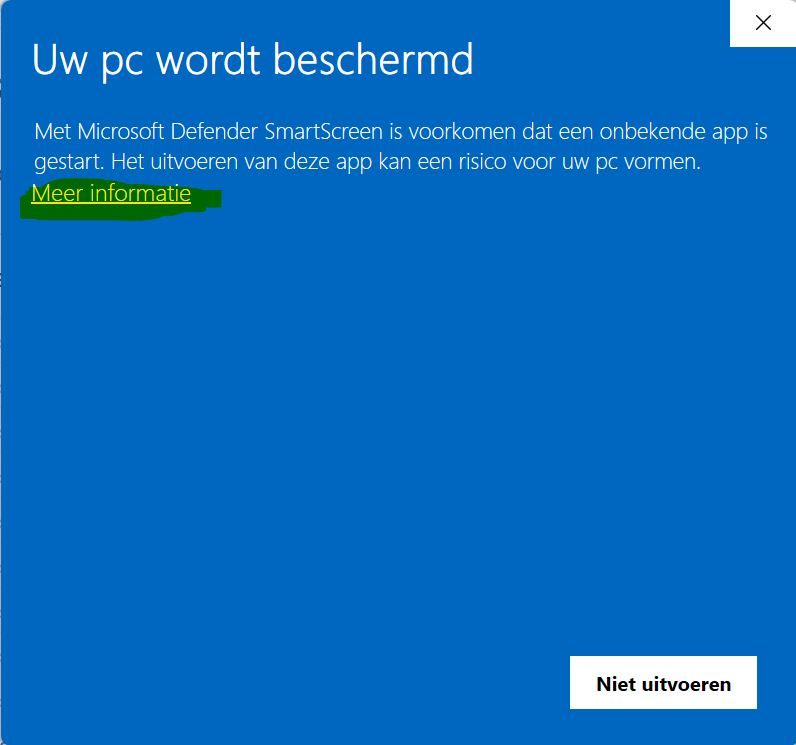
Click on the more information button
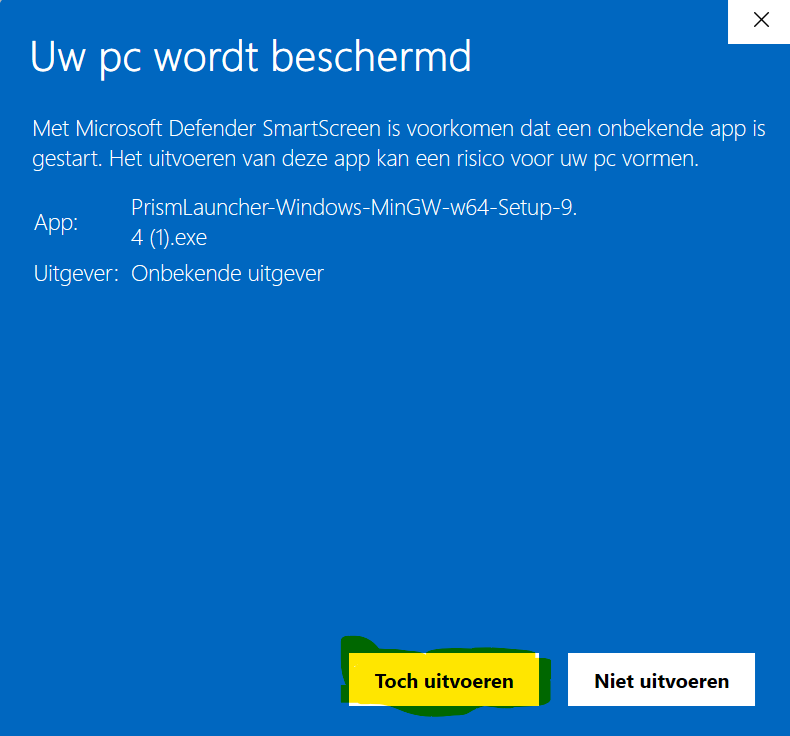
Click the run anyways button
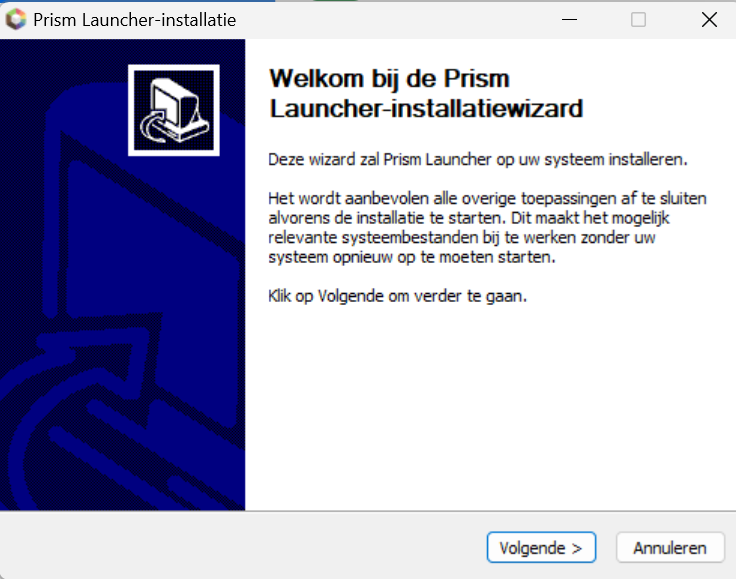
Click next
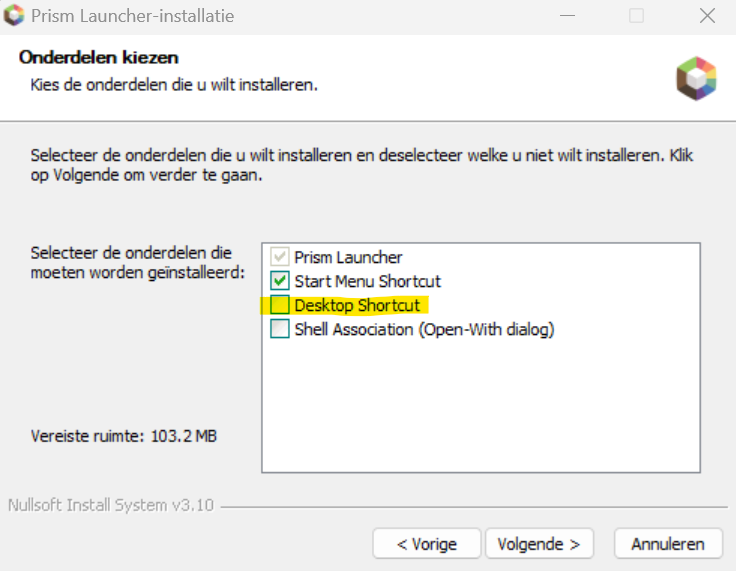
Thick this box and click next
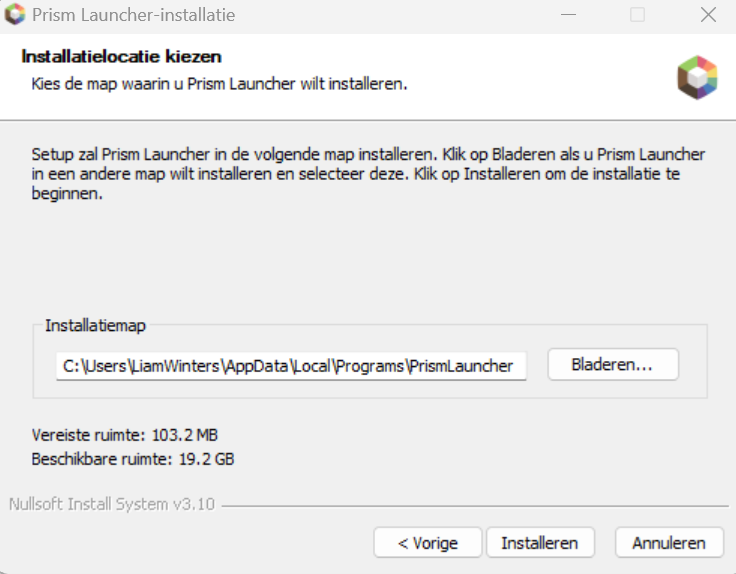
Click install
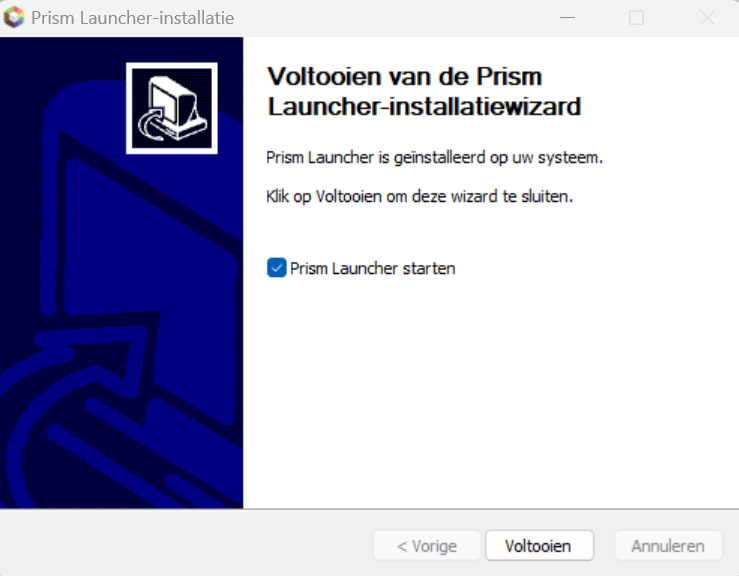
Click finish
Step 3: Setting it up
Click add instance:
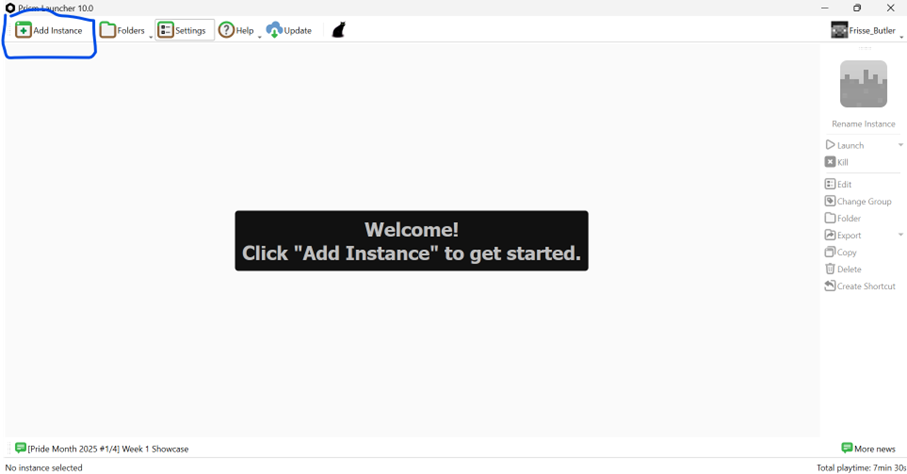
Click add instance
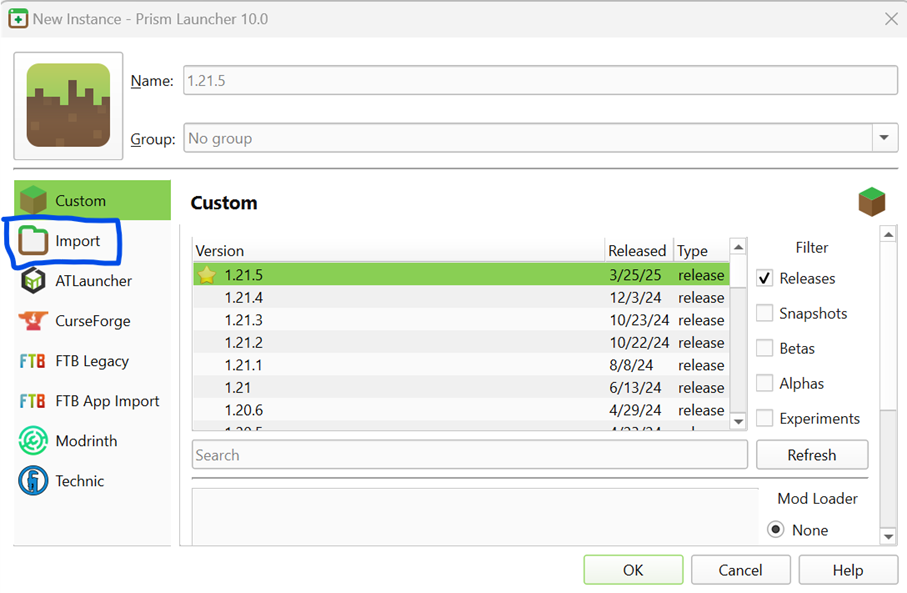
Click import
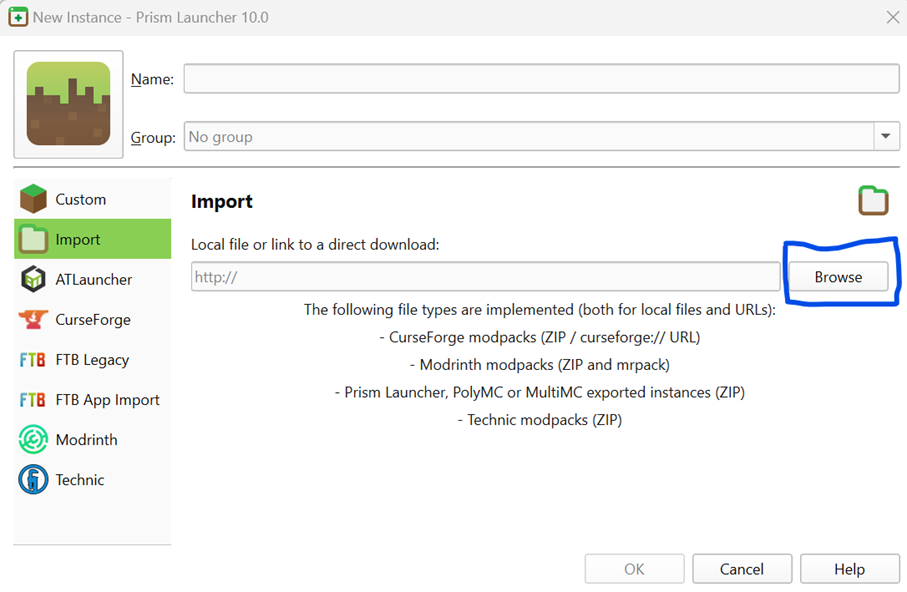
Click browse
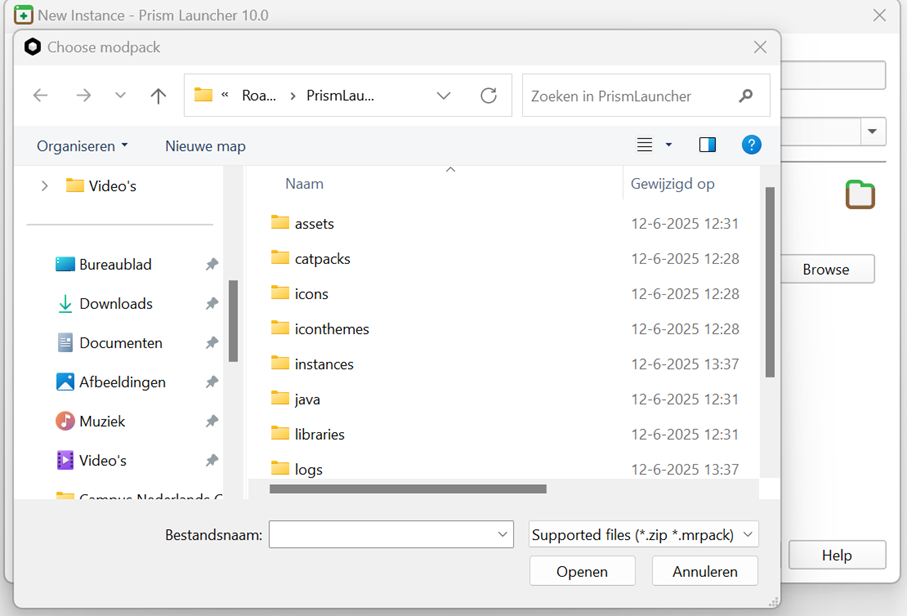
Go to your downloads folder
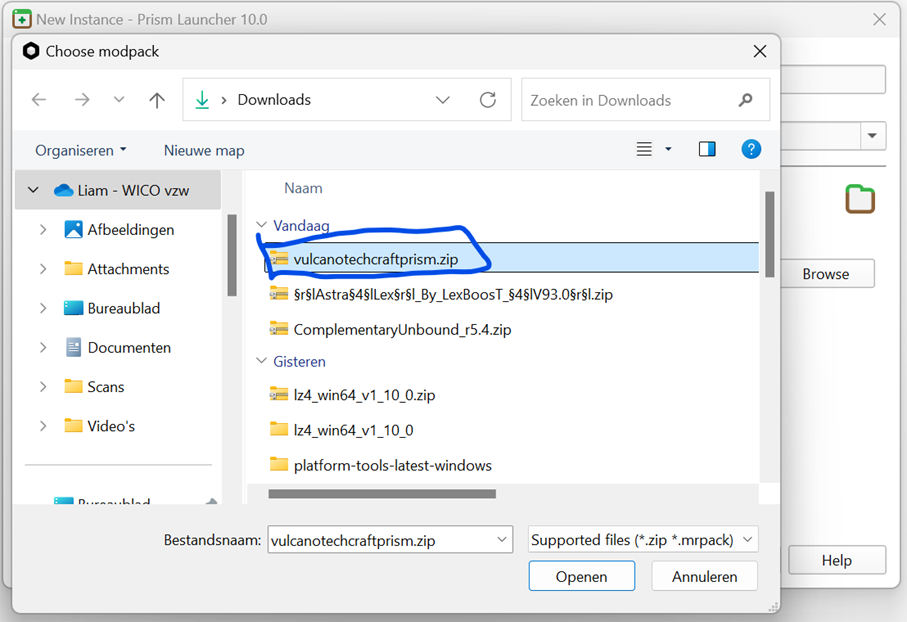
Double click on vulcanotechcraftprism.zip
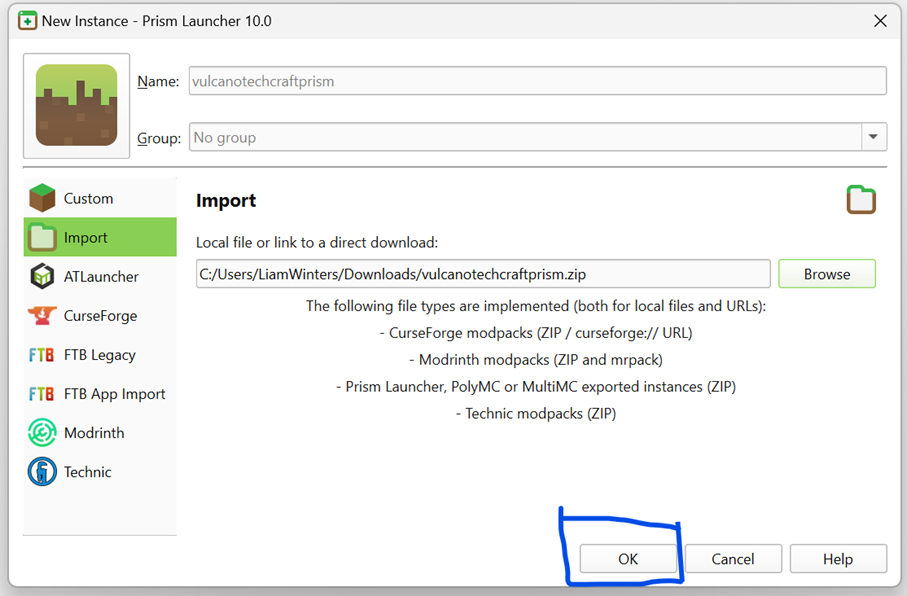
Click ok
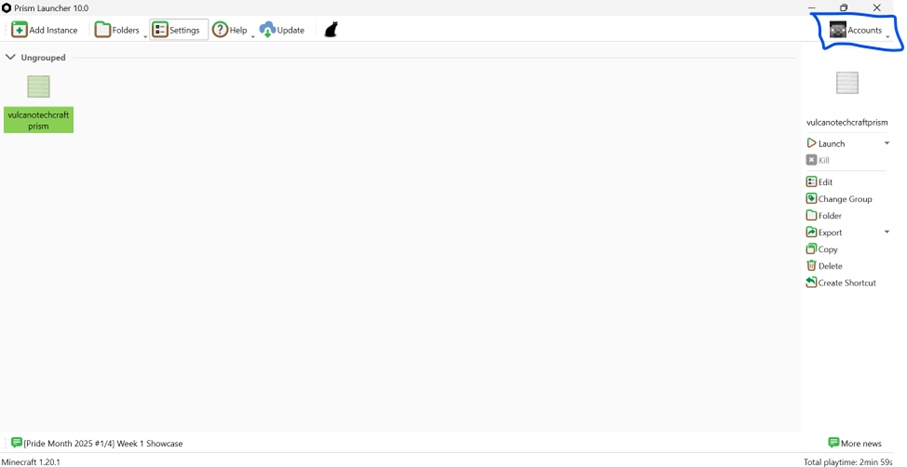
Click on accounts
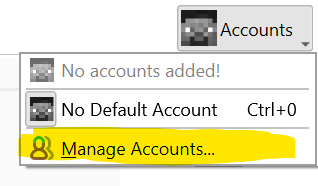
Click on manage accounts
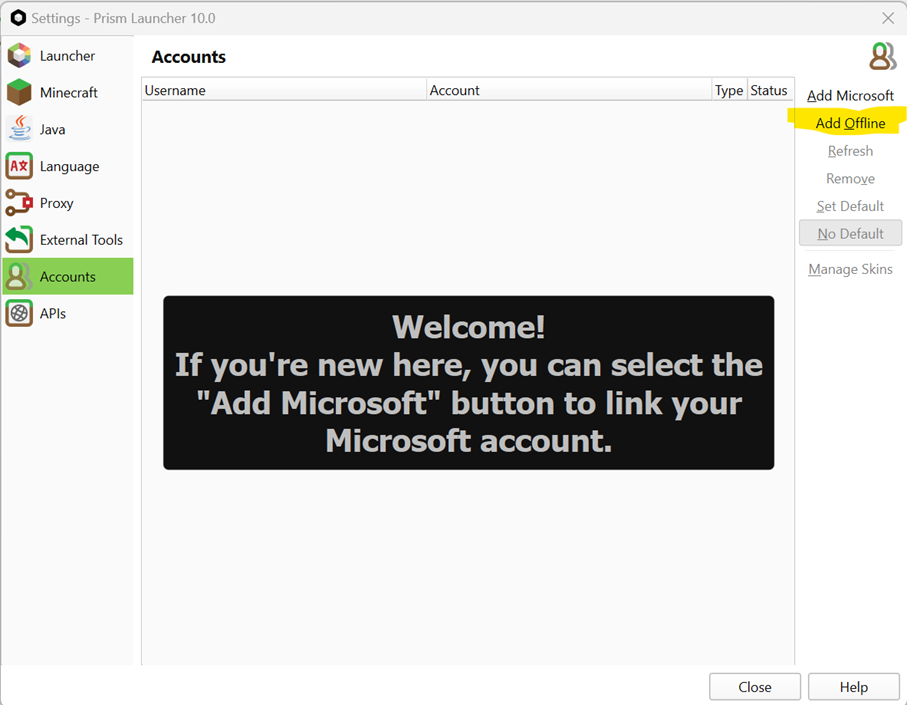
Click add offline
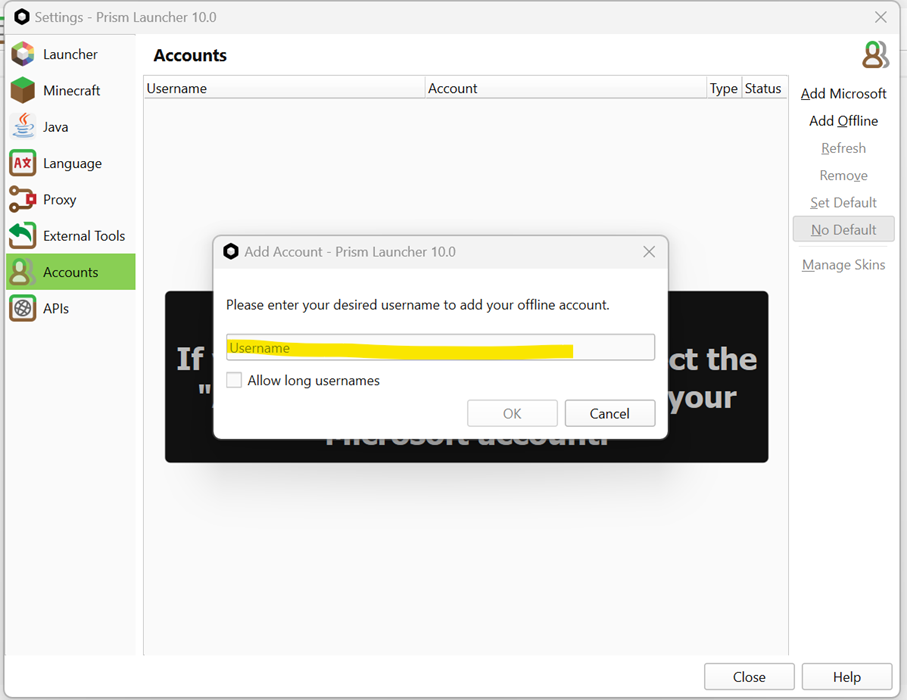
Enter the nickname you want and click ok
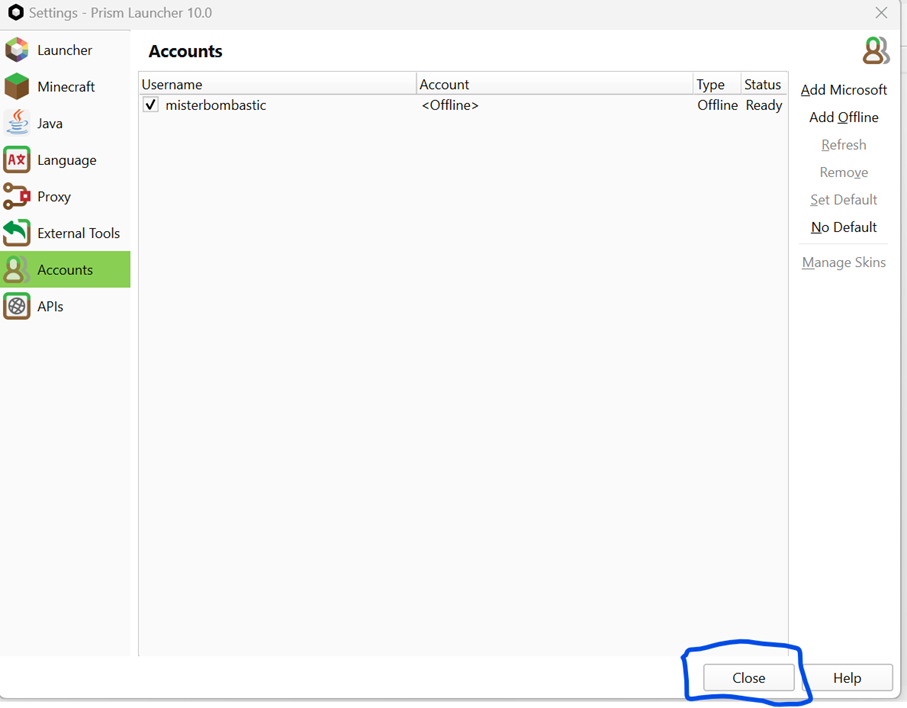
After that click close
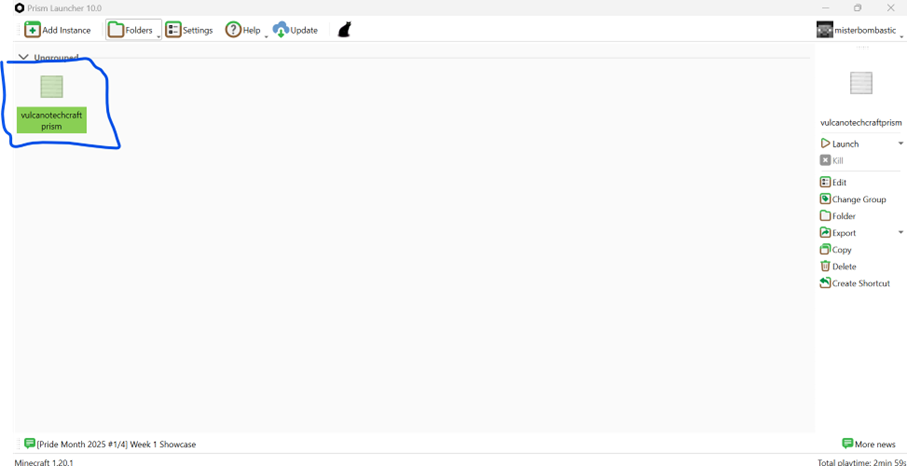
Double click vulcanotechcraftprism